
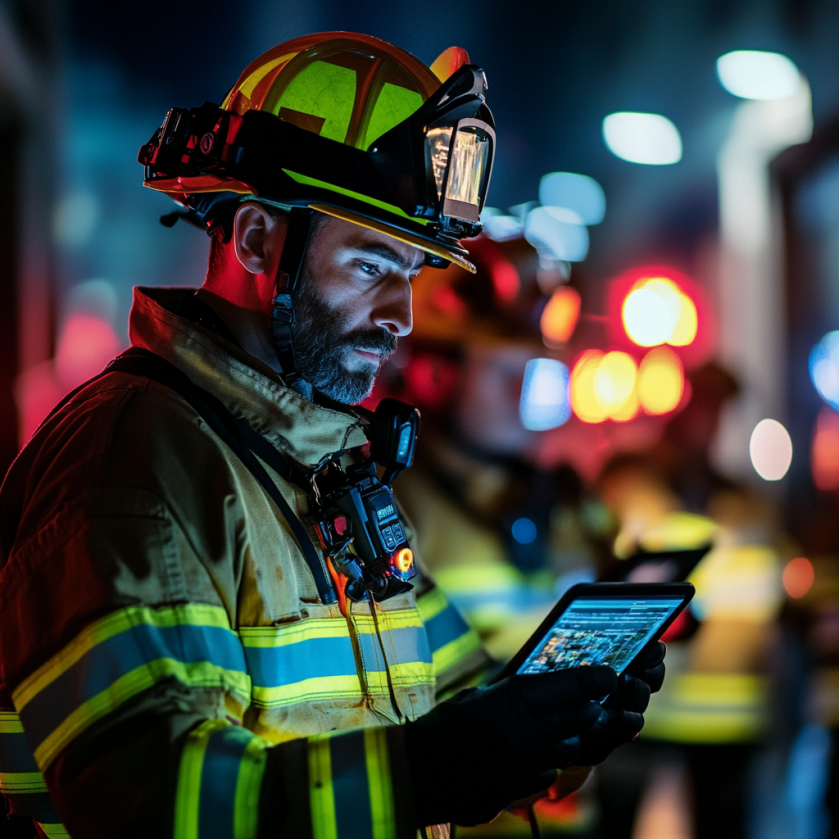
Emergency management software is a digital platform that helps organizations prepare for, respond to, and recover from emergencies — including fires, active threats, natural disasters, and equipment failures. It replaces manual processes with real-time communication, interactive building data, automated alerts, and compliance documentation, enabling faster, more coordinated responses that protect lives, limit liability, and reduce the cost of incidents.
When an emergency unfolds, seconds determine outcomes. Whether it’s a fire on the 14th floor, an active threat in the lobby, or a critical equipment failure in a data center, the organizations that respond fastest and most effectively are the ones that prepared with the right technology before the incident occurred. Having a detailed emergency action plan has many benefits for your workplace.
According to OSHA’s emergency preparedness guidance, well-developed emergency plans and proper employee training result in fewer and less severe worker injuries — and less structural damage to a facility during emergencies. Yet most organizations still rely on static binder procedures, radio calls, and manual headcounts that cannot keep pace with a real incident.
At Building Safety Solutions, we’ve spent over 20 years building and refining emergency preparedness software used at some of the world’s most recognized properties — from One World Trade Center and the Burj Khalifa to LAX and Rockefeller Center. This article explains how emergency management software works, what it actually does during an incident, and what to look for when evaluating a solution for your organization.
What Is Emergency Management Software?
Emergency management software is a category of technology that unifies the tools, data, and communications an organization needs to handle any type of incident. Rather than relying on disconnected systems — printed binder procedures, manual radio calls, hand-written logs, and phone trees — emergency management software brings everything onto a single, accessible platform.
The most effective platforms cover three phases of emergency management:
• Preparedness — training employees, documenting procedures, and ensuring building data is current
• Response — alerting occupants, coordinating with first responders, and tracking personnel in real time
• Recovery — logging incidents, generating compliance reports, and documenting actions taken for legal and insurance purposes
For California employers, emergency management software also plays a direct role in California SB 553 compliance — the workplace violence prevention law that requires documented training records, written prevention plans, and five-year incident recordkeeping. A platform that automates this documentation eliminates one of the most common compliance gaps organizations face.
Emergency Management Software vs. Traditional Approaches: A Direct Comparison
| Manual / Traditional | Emergency Management Software | |
| Response coordination | Radio calls, paper logs, verbal handoffs | Unified digital dashboard with real-time updates |
| Building floor plan access | Printed binders — often outdated | Interactive digital maps, always current |
| Personnel accountability | Manual headcounts, phone trees | Automated tracking, instant status reporting |
| Incident documentation | Hand-written notes, filled in after the fact | Automatic time-stamped logging during the event |
| Regulatory compliance | Manual recordkeeping, prone to gaps | Built-in audit trails, OSHA-ready reports |
| Staff training | Annual classroom sessions | On-demand digital modules with completion tracking |
| Avg. response time | Baseline | Up to 40% faster coordination* |
Core Features of Emergency Management Software
Not all emergency management software is built the same. Here are the capabilities that separate effective platforms from basic notification tools:
1. Real-Time Alerts and Mass Notification
An effective platform must be able to reach every occupant — whether they’re in the building, working remotely, or traveling — through any device, instantly. Alerts should be customizable by incident type and location, so a fire on floor 12 doesn’t unnecessarily evacuate floor 1.
2. Interactive Building Data
Static PDFs and printed floor plans are obsolete the moment a renovation occurs. Modern emergency management software maintains live, interactive 2D and 3D floor plans showing exit routes, hazard zones, utility shutoffs, and critical equipment locations. First responders arriving on scene can access this data instantly from a mobile device.
3. Employee Training and Compliance Tracking
OSHA, California SB 553, and other regulations require documented proof that employees have received safety training. FEMA’s Ready.gov emergency response planning framework reinforces this, noting that establishing an emergency response plan ahead of time and training employees on it saves critical minutes when an incident occurs. An integrated platform delivers training modules digitally, tracks completion, and generates compliance reports automatically.
4. Incident Logging and After-Action Reporting
Every communication, alert, and action taken during an incident should be automatically time-stamped and logged. This creates an audit trail that protects the organization legally and provides data for improving future responses.
5. Mobile Accessibility and Offline Operation
Emergencies don’t wait for a good Wi-Fi connection. Critical building information and communication tools must be accessible on iOS and Android devices, with offline capability for situations where connectivity is compromised. BSS First Responder™ addresses this directly — storing critical building data locally on the device so it’s accessible regardless of network status.
6. ‘I’m Safe’ Reporting
After an evacuation or lockdown, knowing who is accounted for is critical. A platform with built-in ‘I’m Safe’ reporting lets employees check in from any device, giving safety coordinators a real-time view of who has been confirmed safe and who remains unaccounted for.
BSS Feature Coverage at a Glance
| Core Feature | What It Does | BSS Product |
| Real-time notifications | Alerts all occupants instantly via any device | BSS Guardian™ |
| Interactive floor plans | Dynamic 2D/3D maps with hazard zones and exits | BSS Archangel™ |
| Mobile incident response | One-touch calls, chat, and offline building data | BSS First Responder™ |
| Compliance tracking | Records training completion and incident logs | BSS Guardian™ |
| Asset & systems docs | Centralized repository of equipment and procedures | BSS Archangel™ |
| I’m Safe reporting | Employees confirm safety status in real time | BSS Guardian™ |

How to Implement Emergency Management Software: 6 Steps
Implementing emergency management software is a structured process. Here is how Building Safety Solutions approaches it:
Step 1: Needs Assessment and Site Evaluation
Before any software is configured, BSS conducts a thorough evaluation of your facility — its physical layout, occupant profile, existing safety systems, and regulatory obligations. This determines which products and configurations best fit your needs.
1. Interview safety managers, facility directors, and IT leads
2. Map physical locations: buildings, campuses, floors, critical systems
3. Identify compliance obligations (OSHA, SB 553, local fire codes)
4. Review and document current emergency procedures
Step 2: Platform Customization and Building Data Upload
The platform is configured specifically for your facility. Building schematics, floor plans, emergency exit routes, hazardous material locations, and equipment documentation are uploaded and organized.
1. Upload and verify all floor plans and schematics
2. Configure user roles and access levels
3. Integrate with existing alarm, access control, and surveillance systems
4. Set up alert zones, geofences, and notification escalation paths
Step 3: IT and Connectivity Readiness
The platform is deployed across all required devices — mobile phones, workstations, tablets, and command consoles. Offline modes are configured to ensure the system functions even if connectivity is disrupted.
1. Deploy apps on iOS and Android devices for all relevant staff
2. Conduct firewall and compatibility checks with IT
3. Verify Wi-Fi and cellular coverage across all areas of the facility
4. Enable and test offline operation modes
Step 4: First Responder Coordination
Local fire departments, police, and EMS are given access to your facility’s digital dashboard and building data ahead of any incident. This pre-credentialing is one of the most impactful preparedness steps an organization can take.
1. Provide first responders with secure access to building schematics
2. Share occupant rosters and hazardous materials documentation
3. Establish joint communication protocols
4. Schedule a coordination walkthrough or tabletop exercise
Step 5: Staff Training and Drills
All employees complete role-appropriate training through the platform’s learning management system. Training completion is tracked automatically. Live simulations and drills ensure every occupant knows what to do when an alert is triggered.
1. Assign and deliver training modules by role and location
2. Document all training completions for compliance reporting
3. Run scenario-based drills: fire, lockdown, medical emergency, active threat
4. Debrief and adjust procedures based on drill findings
Step 6: Ongoing Maintenance and Continuous Improvement
Emergency management software is only as good as the data inside it. BSS provides ongoing support to keep floor plans current, software updated, and staff trained as personnel changes occur.
1. Schedule quarterly data audits — floor plan updates, personnel roster changes
2. Review and update procedures after every drill or real incident
3. Conduct annual refresher training for all staff
4. Review after-action reports with BSS account team

Emergency Management Software in Action: Real-World Scenarios
Scenario 1: Active Threat at a Corporate Campus
The situation: An active threat unfolds in a large corporate office complex during business hours. 911 is flooded with duplicate calls. Arriving police have no real-time view of the interior layout or occupant locations.
With BSS: Pre-loaded interactive building schematics are immediately accessible to first responders on mobile devices. Employees trigger silent panic alerts through the BSS First Responder™ app, tagging their locations. Command staff route law enforcement to sheltering survivors using real-time app signals.
Key metric: Response teams had complete interior intelligence within 90 seconds of arrival — compared to an estimated 15–20 minutes under a manual process.
Scenario 2: Hazardous Chemical Spill at a Manufacturing Facility
The situation: A valve malfunction releases dangerous chemical gas. Employees evacuate in multiple directions. Hazmat responders have no way to identify who remains inside or where the leak originated.
With BSS: Internal sensors trigger an automatic alert through the BSS platform. Air handling systems are locked down remotely. A digital hazard zone is created based on airflow patterns. Personnel accountability tracking identifies two employees unaccounted for — they are located and rescued within minutes.
Key metric: OSHA cited the company’s emergency management software documentation as a model for incident response recordkeeping.
Scenario 3: Multi-Floor Fire Evacuation in a High-Rise Office Tower
The situation: A fire breaks out on floor 22 of a 40-story Class A office building with 3,000+ occupants. Coordinating a safe, floor-specific evacuation while keeping other floors calm is complex.
With BSS: BSS Guardian™ triggers floor-specific notifications — affected floors receive evacuation instructions, adjacent floors receive shelter-in-place guidance. ‘I’m Safe’ reporting gives the building safety team real-time accountability. BSS Archangel™ provides the fire department with interactive floor plans and suppression system schematics before they exit the elevator.
Key metric: Full occupant accountability was confirmed within 11 minutes of alarm trigger — a result that would take 45+ minutes using manual sign-in sheets.
Pro Tip from Building Safety Solutions:
Keep a printed version of this checklist with your emergency documentation and update it after every drill or software change.
Click Here to Download the Checklist
Why Building Safety Solutions?
Building Safety Solutions has protected some of the world’s most recognized properties for over 20 years. Our emergency management software is not a generic platform adapted for building safety — it was purpose-built for it, with direct input from firefighters, EMTs, law enforcement, safety officers, facilities managers, and the legal and risk management professionals who must defend decisions after an incident.
The legal stakes are significant. Our article on how to prove building safety due diligence after an emergency outlines exactly what documentation courts and insurers look for — and how a well-implemented emergency management platform creates that evidence automatically, before it’s ever needed.
Our integrated platform includes three products that work together as a complete emergency management ecosystem:
• BSS Guardian™ — Web-based emergency preparedness platform with training, compliance reporting, real-time notifications, and ‘I’m Safe’ reporting
• BSS First Responder™ — iOS and Android app with one-touch calls, secure chat, interactive floor plans, and offline operation for in-building and arriving emergency personnel
• BSS Archangel™ — Digital operations platform with immersive 3D models, interactive floor plans, document repository, and training tools for facilities and engineering teams
Frequently Asked Questions About Emergency Management Software
Emergency management software is a digital platform that helps organizations prepare for, respond to, and recover from emergencies such as fires, active threats, natural disasters, equipment failures, and workplace violence incidents. It consolidates communication tools, building data, personnel tracking, training management, and compliance documentation into a single accessible system, replacing manual processes that are too slow and unreliable during a real incident.
A mass notification system is a single-function tool that sends alerts to people. Emergency management software is a comprehensive platform that includes mass notification alongside many other capabilities: interactive building maps, personnel accountability tracking, first responder coordination tools, compliance documentation, incident logging, and employee training management. Mass notification is one feature within emergency management software, not a substitute for it.
Any organization responsible for the safety of occupants in a building or campus environment benefits from emergency management software. This includes commercial real estate owners and property managers, corporate campuses and headquarters, data centers, hospitals and healthcare facilities, educational institutions, manufacturing facilities, transportation hubs, and government buildings. The larger and more complex the facility, and the greater the regulatory compliance burden, the more critical a dedicated platform becomes.
Emergency management software reduces legal liability in several concrete ways. It creates an auditable record of all employee safety training, proving duty of care. It documents every action taken during an incident with automatic time-stamping, which is critical in post-incident litigation. It supports compliance with OSHA requirements and state laws such as California Senate Bill 553. It enables faster, more informed responses that minimize injuries — and courts consistently consider the quality of an organization’s emergency preparedness when determining negligence. Organizations that can demonstrate a documented, tested, and technology-supported emergency plan are in a significantly stronger legal position than those relying on outdated binders and manual processes.
Yes — and this is a critical requirement. During many emergencies, internet connectivity and cellular networks are compromised. Effective emergency management software includes offline modes that allow staff and first responders to access floor plans, procedures, equipment information, and communication tools even when network access is unavailable. BSS First Responder stores critical building data locally on the device so it is accessible regardless of connectivity status.
Implementation timelines vary depending on facility size and complexity, but a typical deployment for a single commercial building takes four to eight weeks from initial assessment to go-live. Multi-site deployments or complex campuses may take longer. The process includes site evaluation, software configuration, building data upload, integration with existing systems, first responder coordination, and staff training. Building Safety Solutions manages the entire implementation process and provides ongoing support after launch.
BSS Guardian is the employee-facing preparedness platform — it delivers training, tracks compliance, sends real-time notifications, and enables ‘I’m Safe’ reporting for all building occupants. BSS First Responder is the mobile app used by in-building staff and arriving emergency personnel during an active incident, providing one-touch communication, interactive floor plans, and critical system information. BSS Archangel is the operations and engineering platform, maintaining a comprehensive digital repository of equipment documentation, 3D building models, and training tools for facilities teams. The three products work together as an integrated emergency management ecosystem.
Emergency management software supports OSHA compliance by automating the documentation requirements that manual processes frequently fail to meet. The platform tracks and records all employee safety training completions, maintains incident logs with time-stamped records, generates audit-ready compliance reports, and ensures that emergency response plans are current and accessible. For California employers subject to Senate Bill 553, the platform specifically supports Workplace Violence Prevention Plan development, employee training documentation, and the five-year recordkeeping requirement for reported incidents.
Ready to See Emergency Management Software in Action?
Building Safety Solutions offers free demonstrations with no obligation. During a demo, a BSS representative will review your facility’s specific needs, walk through the Guardian, Archangel, and First Responder platforms, explain customization options for your building type, and provide information on implementation timelines.
Call 800-315-5676, or complete the demo request form to schedule your consultation.