

Click on the Play Button above to listen to a podcast version of this article.
Modern emergency response software enhances organizational preparedness, response, and documentation for regulatory compliance.
When OSHA auditors arrive at your facility, do you know exactly where your safety compliance audit records are?
Can you demonstrate—within minutes—that your employees completed their required regulatory compliance training?
For most building managers and safety officers, these questions trigger a familiar sense of anxiety.
The reality is stark: workplace safety violations carry penalties ranging from $10,000 per violation for serious infractions to hundreds of thousands of dollars for willful violations.
Beyond financial penalties, inadequate safety record keeping can expose organizations to devastating liability lawsuits, reputational damage, and—most critically—preventable harm to employees and occupants.
For over 20 years, Building Safety Solutions has been in the business of protecting businesses against legal liability using our proprietary emergency response software solutions.
This comprehensive guide explores how emergency management software creates audit-ready documentation, streamlines risk assessment processes, and ultimately protects both people and organizations.
Understanding the Regulatory Landscape for Building Safety
Before diving into software solutions, it’s essential to understand the complex web of regulations governing workplace and building safety.
Organizations face oversight from multiple agencies and must maintain compliance with various federal, state, and local requirements.

Key Regulatory Bodies and Their Requirements
OSHA (Occupational Safety and Health Administration): OSHA mandates that employers maintain detailed safety documentation, including emergency action plans, training records, and incident reports. Compliance management software specifically designed for OSHA requirements helps organizations systematically track and demonstrate adherence to standards like 29 CFR 1910.38 (Emergency Action Plans) and 29 CFR 1910.157 (Portable Fire Extinguishers).
Fire Marshals and Local Fire Departments: Fire safety compliance requires documented emergency drill logs, fire safety inspections, evacuation plan reviews, and equipment maintenance records. Fire risk assessment software enables organizations to track all fire-related compliance requirements in a centralized system.
California Senate Bill 553: Effective July 1, 2024, SB 553 requires California employers with ten or more employees to implement comprehensive workplace violence prevention plans, including documented training, incident reporting procedures, and hazard assessments.
Non-compliance carries fines from $18,000 for first-time offenders to $25,000 for subsequent violations.
How Emergency Response Software Creates Audit-Ready Documentation
The fundamental challenge in regulatory compliance isn’t necessarily meeting requirements—it’s proving you’ve met them. This is where health and safety risk assessment software transforms organizational capability.
Automated Training Documentation and Tracking
One of the most common compliance failures occurs in training documentation. Organizations conduct training but fail to maintain adequate records. Modern emergency preparedness platforms like BSS Guardian solve this problem through integrated Learning Management Systems (LMS) that automatically record, summarize, and report on occupant training completion.
Key training documentation capabilities include:
• Automatic timestamp recording for all training completions
• Digital certificates of completion with unique identifiers
• Customizable training modules for specific emergency types (fire, earthquake, active shooter, chemical spill)
• Knowledge assessment tracking with pass/fail records
• Automated reminders for required refresher training
Centralized Safety Audit Documentation Repository
Audit trail software functionality within emergency management platforms creates a comprehensive, searchable repository of all safety-related documentation. Rather than scrambling through filing cabinets and disparate digital folders during an audit, safety managers can retrieve any document within seconds.
Essential documents maintained in the system include:
• Emergency action plans and revision histories
• Building evacuation plans with floor-by-floor details
• Fire drill documentation and analysis reports
• Equipment inspection records and maintenance logs
• Incident reports and corrective action documentation
• Hazard assessments and mitigation measures

Streamlining Risk Assessments with Technology
Workplace risk assessment software has evolved beyond simple checklists. Today’s platforms enable dynamic, ongoing risk evaluation that adapts to changing conditions and emerging threats.
Comprehensive Hazard Identification and Tracking
Effective risk assessment begins with thorough hazard identification. Safety risk assessment software provides structured frameworks for identifying, categorizing, and prioritizing workplace hazards across multiple dimensions.
Risk assessment categories typically include:
• Physical hazards: Fire risks, structural vulnerabilities, electrical systems, HVAC failures
• Environmental hazards: Earthquake zones, flood plains, wildfire proximity, severe weather exposure
• Human-caused threats: Workplace violence, terrorism, civil unrest, unauthorized access
• Operational risks: Equipment malfunctions, chemical spills, utility failures, communication breakdowns
• Regulatory risks: Compliance gaps, documentation deficiencies, training lapses
Integration with Building Safety Inspection Processes
Building safety inspection requirements vary by jurisdiction and occupancy type, but all require systematic documentation. Asset protection systems like BSS Archangel serve as digital repositories for critical building system documentation, ensuring that inspection records, equipment manuals, and maintenance histories are always accessible.
Real-Time Action Items: Immediate Steps to Improve Audit Readiness
Organizations don’t need to wait for new software implementation to begin improving their audit readiness. The following action items can be implemented immediately to strengthen compliance posture.
Action Item 1: Conduct a Documentation Gap Analysis
Implementation Steps:
1. Create a comprehensive checklist of all required safety documentation for your jurisdiction and industry
2. Inventory existing documentation and identify gaps
3. Prioritize gaps based on regulatory risk and potential penalty severity
4. Establish a timeline for addressing each gap
5. Assign responsible parties for document creation and maintenance
Action Item 2: Establish a Centralized Document Management System
Even before implementing comprehensive emergency response software, organizations can improve their documentation posture by centralizing existing records.
Immediate actions:
• Designate a single digital location (cloud-based preferred) for all safety documentation
• Implement consistent naming conventions for easy searchability
• Create a document retention schedule aligned with regulatory requirements
• Establish access controls to ensure document integrity
• Implement version control to track document revisions
Action Item 3: Implement Automated Emergency Drill Tracking
Emergency drills are only as valuable as the documentation they generate. Implementing systematic emergency drill log practices ensures that your organization can demonstrate compliance with drill frequency requirements and continuous improvement.
Drill documentation should include:
• Date, time, and duration of drill
• Type of emergency simulated
• Number of participants and participation rate
• Evacuation times by floor/area
• Issues identified during the drill
• Corrective actions taken
• Sign-off by safety personnel
Action Item 4: Develop a Training Compliance Matrix
Regulatory compliance training requirements vary by role, location, and industry. Creating a training compliance matrix ensures that all employees receive required training and that documentation is maintained.
Matrix components should include:
1. List of all required training by employee role
2. Frequency requirements (initial, annual, as-needed)
3. Documentation requirements for each training type
4. Current compliance status by department/employee
5. Automated reminders for expiring certifications
Action Item 5: Create an Incident Reporting Protocol
Effective incident reporting is crucial for both regulatory compliance and continuous improvement of safety programs.
Protocol elements:
• Clear definition of reportable incidents
• Standardized reporting forms (digital preferred)
• Defined reporting timelines (immediate vs. 24-hour vs. weekly)
• Chain of custody for incident documentation
• Investigation protocols
• Corrective action tracking
The ROI of Compliance Management Software
Investing in OSHA compliance software and comprehensive emergency management platforms delivers measurable returns across multiple dimensions.
Direct Cost Avoidance
Penalty prevention:
With OSHA penalties reaching six figures for serious violations, preventing even a single citation can offset years of software investment. Safety audit software for OSHA compliance provides systematic assurance that requirements are being met.
Liability mitigation:
Comprehensive regulatory compliance documentation provides crucial evidence in corporate liability claims. Organizations with documented safety programs and training records are better positioned to demonstrate they met their duty of care.
Operational Efficiency Gains
Time savings:
Manual compliance tracking consumes significant staff time. Automated systems can reduce administrative burden by 60-80%, freeing safety personnel to focus on substantive improvements rather than paperwork.
Audit preparation:
Organizations typically spend 40-80 hours preparing for regulatory audits. With centralized, searchable documentation, this time can be reduced to hours rather than days.
Selecting the Right Emergency Response Software
Not all emergency management platforms are created equal. When evaluating solutions, organizations should consider several key factors.
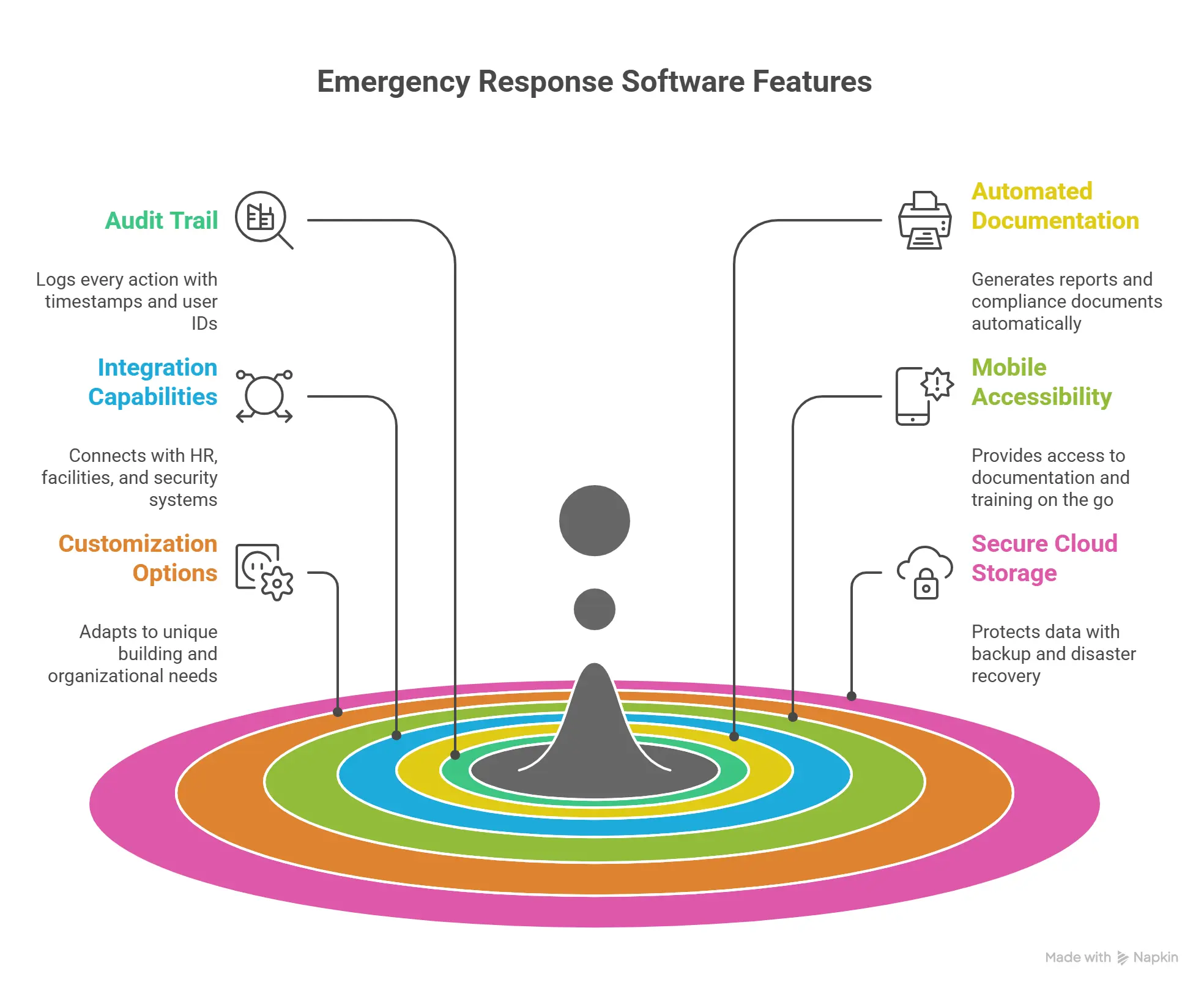
Essential Features for Compliance Support
1. Comprehensive audit trail functionality: Every action in the system should be logged with timestamps and user identification.
2. Automated documentation generation: The system should automatically create required reports and compliance documentation.
3. Integration capabilities: The platform should integrate with existing HR, facilities management, and security systems.
4. Mobile accessibility: Field personnel need access to documentation and training from any location.
5. Customization options: Every building and organization has unique requirements; the software should accommodate specific needs.
6. Secure cloud-based storage: Documentation must be protected yet accessible, with appropriate backup and disaster recovery capabilities.
Implementation Considerations
Successful implementation of emergency response software requires careful planning.
1. Stakeholder engagement: Involve safety personnel, facilities managers, IT, and executive leadership in the selection and implementation process.
2. Data migration planning: Develop a comprehensive plan for transferring existing documentation into the new system.
3. Training investment: Ensure all users receive adequate training on the new platform.
4. First responder coordination: Establish connections with local fire, police, and emergency services to share relevant building information.
5. Continuous improvement process: Establish regular reviews of system effectiveness and documentation completeness.
Building a Culture of Compliance
Technology alone cannot ensure regulatory compliance. Emergency response software is most effective when deployed within an organizational culture that prioritizes safety and accountability. The most successful implementations combine robust technology platforms with clear policies, consistent enforcement, and genuine commitment from leadership.
By investing in comprehensive emergency management software, organizations transform compliance from a burden into a competitive advantage. Audit-ready documentation becomes the norm rather than a scramble. Risk assessments become dynamic, ongoing processes rather than annual checkboxes. And most importantly, employees work in environments where their safety is systematically protected.
The question isn’t whether your organization can afford to implement emergency response software—it’s whether you can afford not to.
With regulatory requirements becoming more stringent and penalties more severe, proactive investment in compliance technology is both a financial imperative and a moral obligation.
Take the Next Step
Building Safety Solutions provides comprehensive emergency preparedness and incident response technology designed specifically to support regulatory compliance and risk assessment requirements. Our cloud-based platforms—including BSS Guardian for occupant safety and BSS Archangel for asset protection—have been trusted by premier Fortune 500 properties worldwide.
Request a free demonstration to learn how our emergency management software can transform your organization’s approach to regulatory compliance and risk assessment.
FAQs: Emergency Response Software for Regulatory Audits & Risk Assessments
1. What is emergency response software and how does it support regulatory compliance?
Emergency response software is a cloud-based platform that centralizes emergency preparedness, incident response, and safety documentation. It supports compliance by automatically tracking training, maintaining audit trails, and generating reports that demonstrate adherence to OSHA, fire safety, and state-specific regulations.
2. What are the potential penalties for failing to maintain proper safety documentation?
OSHA penalties range from $10,000 per serious violation to hundreds of thousands for willful violations. California SB 553 imposes fines from $18,000 for first-time offenders to $25,000 for subsequent workplace violence prevention violations.
3. Which regulatory bodies require safety documentation?
Organizations face oversight from OSHA, fire marshals, and local fire departments, each requiring specific documentation. California employers with ten or more employees must also comply with SB 553’s workplace violence prevention requirements.
4. How does automated training documentation reduce compliance risk?
Integrated Learning Management Systems automatically record training completions with timestamps, generate digital certificates, and send reminders for refresher training. This eliminates manual record-keeping errors that commonly lead to compliance failures during audits.
5. What types of hazards should be included in a comprehensive risk assessment?
Risk assessments should address physical hazards, environmental threats, human-caused incidents, operational risks, and regulatory compliance gaps. A comprehensive approach across all these categories ensures no critical vulnerability is overlooked.
6. What is California Senate Bill 553 and who must comply?
SB 553 requires California employers with ten or more employees to implement workplace violence prevention plans, documented training, and incident reporting procedures. Healthcare facilities and businesses with fewer than 10 employees are exempt.
7. How can organizations immediately improve audit readiness?
Start by conducting a documentation gap analysis and centralizing existing records in one searchable location. Implement consistent naming conventions and establish systematic tracking for emergency drills and training completion.
8. What essential documents should be maintained in a safety audit repository?
Critical documents include emergency action plans, evacuation procedures, drill logs, equipment inspection records, incident reports, and training completion records. All documents should be searchable with version control to track revisions.
9. How does emergency response software calculate return on investment?
Preventing even one serious OSHA citation can offset years of software investment, while automation reduces administrative burden by 60-80%. Audit preparation time typically drops from 40-80 hours to just a few hours.
10. What features should organizations prioritize when selecting emergency management software?
Prioritize comprehensive audit trail functionality, automated report generation, mobile accessibility, and integration with existing systems. Secure cloud-based storage and first responder coordination capabilities are also essential.
11. How does emergency response software support first responder coordination?
Mobile applications deliver critical building information to responding personnel, including interactive floor plans and equipment locations. First responders can access this information via QR codes in the building for faster, more informed decision-making.
12. What’s the difference between occupant safety software and asset protection software?
Occupant safety platforms like BSS Guardian focus on empowering people with emergency procedures and evacuation training. Asset protection systems like BSS Archangel serve as digital repositories for building equipment documentation to protect physical property and prevent business interruptions.